Workflow Automation for E-commerce & High-Ticket Online Stores
Ecorfy delivers custom e-commerce workflow automation for high-ticket online stores — built to eliminate manual back-office work, connect the tools your store already runs on, and increase operational efficiency. From order processing to returns to daily revenue reporting, our online store automation systems save your team 20+ hours every week with custom integrations across Shopify, Klaviyo, Gorgias, ShipStation, and 1,000+ tools.
Saved per week, typical
Payback period on most projects
Tools we can integrate
What Is E-Commerce Workflow Automation?
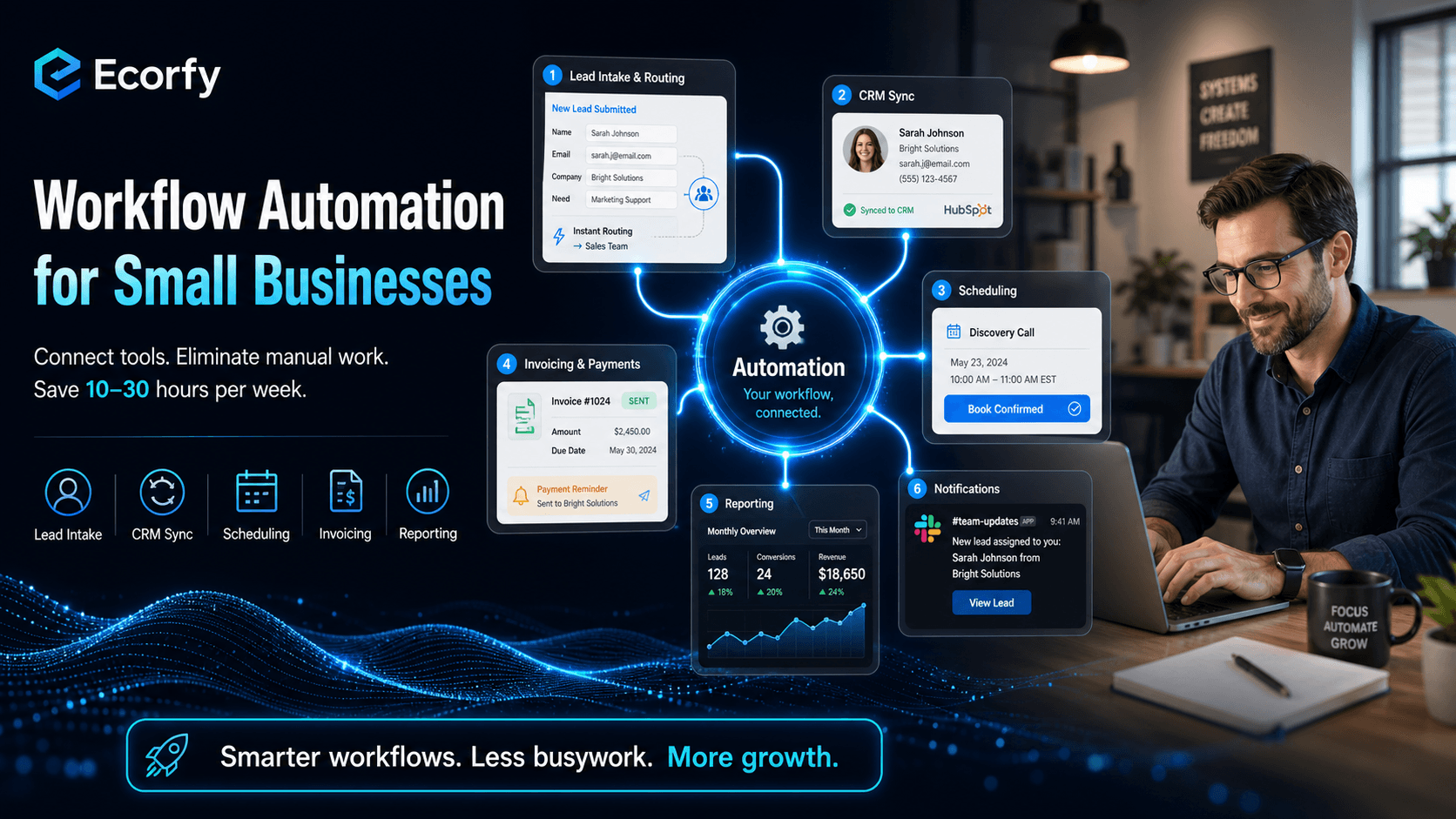
E-commerce workflow automation is software that runs a sequence of store operations automatically when something triggers it. A new order is placed → it's routed to the right fulfillment location → an order-confirmation and tracking email goes out → ops gets a Slack notification → inventory and your ERP are synced — without a single manual click. For high-ticket online stores, this is the highest-ROI investment you can make. You stop losing hours to copy-paste work between Shopify, your helpdesk, and your spreadsheets, data gets entered once and flows everywhere, and no order or return falls through the cracks because someone was out of office.
According to McKinsey research on automation, about 60% of all occupations have at least 30% of their activities that could be automated with existing technology — and lean e-commerce teams stand to benefit disproportionately from freeing up that time.
Benefits of Workflow Automation for Online Store Efficiency
E-commerce workflow automation delivers measurable, compounding returns. Here are the outcomes our store clients see most consistently:
Reclaim 10–30 hours per week
Eliminate manual order entry, repetitive status emails, and copy-paste work between Shopify, your helpdesk, and spreadsheets. Your team focuses on growth instead of busywork.
Increase operational efficiency
Store operations run 24/7 with zero handoff delays. Orders ship faster, abandoned-cart triggers fire instantly, returns resolve in hours, and reporting happens on schedule.
Scale without hiring
Double your order volume or product catalog without adding back-office headcount. Automation capacity grows with your store.
Reduce costly errors
Humans forget, mistype, and miss steps — oversells, wrong addresses, missed returns. Automated workflows execute the same way every time, with error notifications so issues are caught immediately.
Faster ROI than hiring
Most store workflow automations pay for themselves within 2–3 months through time savings alone — far faster than a new ops hire reaches full productivity.
Happier team, higher retention
Nobody wants a job that's 80% copy-pasting tracking numbers. Automating the busywork keeps your best people engaged in meaningful work.
Key Workflow Automation Services for Online Stores
Ecorfy builds the following workflow automation solutions for e-commerce and high-ticket online stores. Each category can be deployed individually or combined into an end-to-end store operations system.
Order processing & routing automation
Validate new orders, flag fraud and high-value purchases, route to the right fulfillment location, and trigger picking and packing tasks.
Abandoned-cart & browse-abandon triggers
Behavior-triggered cart-recovery and browse-abandon flows across Klaviyo, with timing and offers tuned for high-AOV considered purchases.
Order-status & shipping update automation
Automatic confirmation, in-transit, delivery-window, and freight-scheduling updates by email and SMS — cutting "where is my order" tickets.
Returns & RMA automation
Self-service return portals that check eligibility, generate labels, trigger exchanges, and sync status to your helpdesk and Shopify.
Post-purchase & lifecycle flows
Review requests, replenishment and subscription reminders, warranty registration, and VIP follow-up triggered by order behavior or dates.
Inventory & supplier sync
Keep stock levels accurate across Shopify, your ERP/PIM, and warehouses. Auto-trigger reorders and prevent oversells across channels.
Fulfillment & 3PL workflow automation
Push orders to ShipStation or your 3PL, pull tracking back, handle splits and backorders, and reconcile shipped vs. billed.
Data sync across store tools
Keep Shopify and your ERP, Klaviyo and your CRM, or any two systems in constant sync — no manual exports.
Daily revenue & ops reporting automation
Auto-pull data from Shopify, Klaviyo, and ad platforms, format into daily reports, and deliver to stakeholders on schedule.
Support ticket routing & escalation
Auto-categorize Gorgias or helpdesk tickets, assign to the right queue, escalate on SLA breach, log resolution metrics.
Need something beyond these? We build custom automations too. Tell us what your store team is spending the most time on, and we'll scope it out during your free consultation.
E-Commerce Workflow Automation: Real Before-and-After Examples
Abandoned-cart & order-status automation (furniture store, $4M GMV)
Cart-recovery emails sent manually in one generic batch. Shoppers emailed support for freight delivery dates, generating 30+ tickets a day.
Shopify → Klaviyo → behavior-triggered 3-step cart-recovery flow, plus automated order-status and delivery-window updates via SMS and email. Recovered revenue up 28%; status tickets down 70%.
Returns & exchange automation (premium electronics store, $7M GMV)
Support team spent 8 hours/week processing return requests by hand — checking eligibility, issuing labels, and updating the helpdesk. Average resolution: 3 days.
Self-service return portal auto-checks eligibility, generates labels, triggers exchange orders, and syncs status to Gorgias and Shopify. Average resolution: under 1 day. Team reclaimed 7 hours/week.
Daily revenue reporting automation (DTC beauty brand, $5M GMV)
Ops manager spent 4 hours every Monday pulling numbers from Shopify, Klaviyo, and Meta Ads into a spreadsheet.
Automated 7 AM report delivered via Slack with live revenue, AOV, repeat-purchase rate, subscription churn, and ad ROAS. Manual work: 0.
E-Commerce Store Types We Automate Workflows For
Workflow automation looks different depending on what your online store sells. Here's where Ecorfy has the deepest expertise across high-ticket store types:
Furniture & home goods
Order processing, freight-and-delivery status updates, browse-abandon recovery, damage-claim intake, and Shopify/ERP integrations.
Jewelry, watches & luxury accessories
Occasion-based lifecycle flows, VIP follow-up, warranty and engraving order routing, and high-value returns handling.
Fitness & outdoor equipment
Cart recovery, accessory and replenishment upsell sequences, assembly-support flows, and inventory sync.
Electronics & premium gadgets
Returns and RMA automation, warranty workflows, order-status updates, and supplier/inventory sync across systems.
Beauty & wellness brands
Subscription and replenishment automation, post-purchase flows, review collection, and daily revenue reporting.
Specialty & DTC retail
Order processing, cart recovery, returns and exchanges, supplier/inventory sync, and GTM workflow automation across Shopify, Klaviyo, and Meta Ads.
Workflow Automation Tools & Integrations for Online Stores
We work with the tools your online store already relies on — storefront, marketing, helpdesk, fulfillment, and back office. Our most common integrations include:
If a store app has an API or webhook, we can connect it — including your ERP, PIM, 3PL, and custom storefront. For tools without pre-built integrations, we write custom connectors.
Zapier vs Make vs n8n vs Custom Code: Which Is Right for You?
Choosing the right platform is half the battle. Here's how the leading workflow automation platforms compare for online stores:
| Platform | Best for | Complexity | Cost |
|---|---|---|---|
| Zapier | Simple linear app-to-app automations | Low | $20–$300/mo |
| Make (Integromat) | Complex workflows with branching & loops | Medium | $10–$200/mo |
| n8n | Self-hosted, customer-data-sensitive workflows | Medium-High | $0–$120/mo (self-host) |
| Shopify Flow / native rules | Workflows within your store platform | Low | Included in plan |
| Custom code (APIs) | Unique logic, AI in the loop, high order volume | High | Variable |
Not sure which to pick? Our AI consulting engagement includes a tool-selection audit so you don't lock yourself into the wrong platform.
Our Workflow Automation Implementation Process
1) Store process audit & discovery
We map how orders, returns, and inventory flow through your store today. Which tools are involved, where are the manual handoffs, where does work stall?
2) Prioritize by ROI
Not everything is worth automating. We rank workflows by time saved, revenue impact, and implementation complexity — and start with the highest-ROI ones.
3) Design & approvals
For each workflow, we document the trigger, actions, edge cases, error handling, and success criteria before building anything.
4) Build & test
We build in your chosen platform (Zapier, Make, n8n, Shopify Flow, or custom), test with real orders and SKUs, and handle edge cases before going live.
5) Launch & monitor
Automations go live with monitoring, alerts on failure, and a dashboard showing runs, successes, and errors.
6) Continuous improvement
Monthly review of what’s working, what’s breaking, and what new workflows should be added as your store grows and adds channels.
How to Calculate the ROI of Workflow Automation
A simple formula to estimate whether a store automation project is worth building:
Example: a returns-automation that saves your support team 5 hours/week at $45/hour fully loaded = $11,700/year in time savings. If the build costs $5,000 and maintenance is $500/year, net ROI in year one is $6,200 — before counting the revenue from faster exchanges and fewer lost customers.
Most workflows we build pay for themselves within 2–3 months. For a deeper walkthrough, see our complete guide to workflow automation.
5 Common Workflow Automation Mistakes Online Stores Make
We've rescued enough store automation projects to know where e-commerce automation efforts go wrong. Avoid these pitfalls:
- Automating broken processes. If your returns or fulfillment process is fundamentally flawed when a human runs it, automating it just makes it fail faster. Fix the process first, then automate.
- Starting too big. Trying to automate every store operation in one sprint leads to complex, brittle systems that break constantly. Start with one workflow — like order-status updates — prove it works, then expand.
- Skipping error handling. Every automation eventually encounters unexpected data — a missing SKU, a bad address. Without failure notifications, a broken automation that silently drops orders is worse than no automation at all.
- Picking tools before defining the problem. “We need Zapier” is not a strategy. Start with the specific store problem you're solving, then choose the tool that fits.
- Not measuring results. If you can't quantify the hours saved, the recovered cart revenue, or the faster return resolution, you can't justify expanding your automation investment. Track before and after.
For more on getting started, read our guide on what to automate first in your store, or explore how AI marketing automation and AI chatbots extend workflow automation with AI in the loop.
E-Commerce Workflow Automation FAQs
What is e-commerce workflow automation?
Software that runs a sequence of store operations automatically based on triggers. When a new order is placed, an automation can route it to fulfillment, send a tracking update, sync inventory, and post the sale to your dashboard — all without a human action.
How much does workflow automation cost for an online store?
Simple single-trigger workflows on Zapier or Make can cost $500 to $3,000 to set up. Multi-system workflows with custom logic typically run $3,000 to $15,000. Ongoing platform costs range from $20 to $500/month depending on order volume.
Which store platforms and tools do you integrate?
We work with Shopify, BigCommerce, WooCommerce, and custom storefronts, plus Klaviyo, Gorgias, ShipStation, Stripe, QuickBooks/Xero, and ERP/PIM systems. If a tool has an API or webhook, we can connect it.
Do I need a developer?
Not for most workflows — Zapier, Make, and Shopify Flow are no-code.You’ll need development help for custom Shopify, ERP, or PIM integrations, AI-powered logic, or very high order volumes. We handle both.
What happens when a store automation breaks?
Every automation we build includes error notifications, retry logic, and fallback paths. When something fails, the right person is alerted so it’s fixed before it affects orders or customers.
How long does implementation take?
Simple workflows go live in days. More complex multi-step automations across Shopify, your helpdesk, and fulfillment typically take 2 to 6 weeks from kickoff to launch.
What types of stores do you serve with workflow automation?
We focus on e-commerce and high-ticket online stores — furniture, jewelry, fitness and outdoor equipment, electronics, beauty, and specialty DTC brands. Each store type has its own automation patterns; see our store-type section above for specifics.
Related Reading on Workflow Automation
Is Workflow Automation a Good Fit for Your Online Store?
- Have a team spending hours on manual order entry, tracking emails, and copy-paste work
- Run 5+ store tools — Shopify, Klaviyo, helpdesk, ERP, 3PL — that don't talk to each other well
- Want to scale order volume without hiring more back-office staff
- Have store processes that are error-prone because humans are doing them — oversells, wrong shipments, missed returns
- Have said “there has to be a better way to run this store” more than once this month