AI Automation for Small Business: Where It Works, What It Costs, and How to Start
AI automation isn't just for large companies anymore. Here's where it delivers real ROI for small businesses, what it actually costs, and a practical roadmap for getting started without overcommitting.
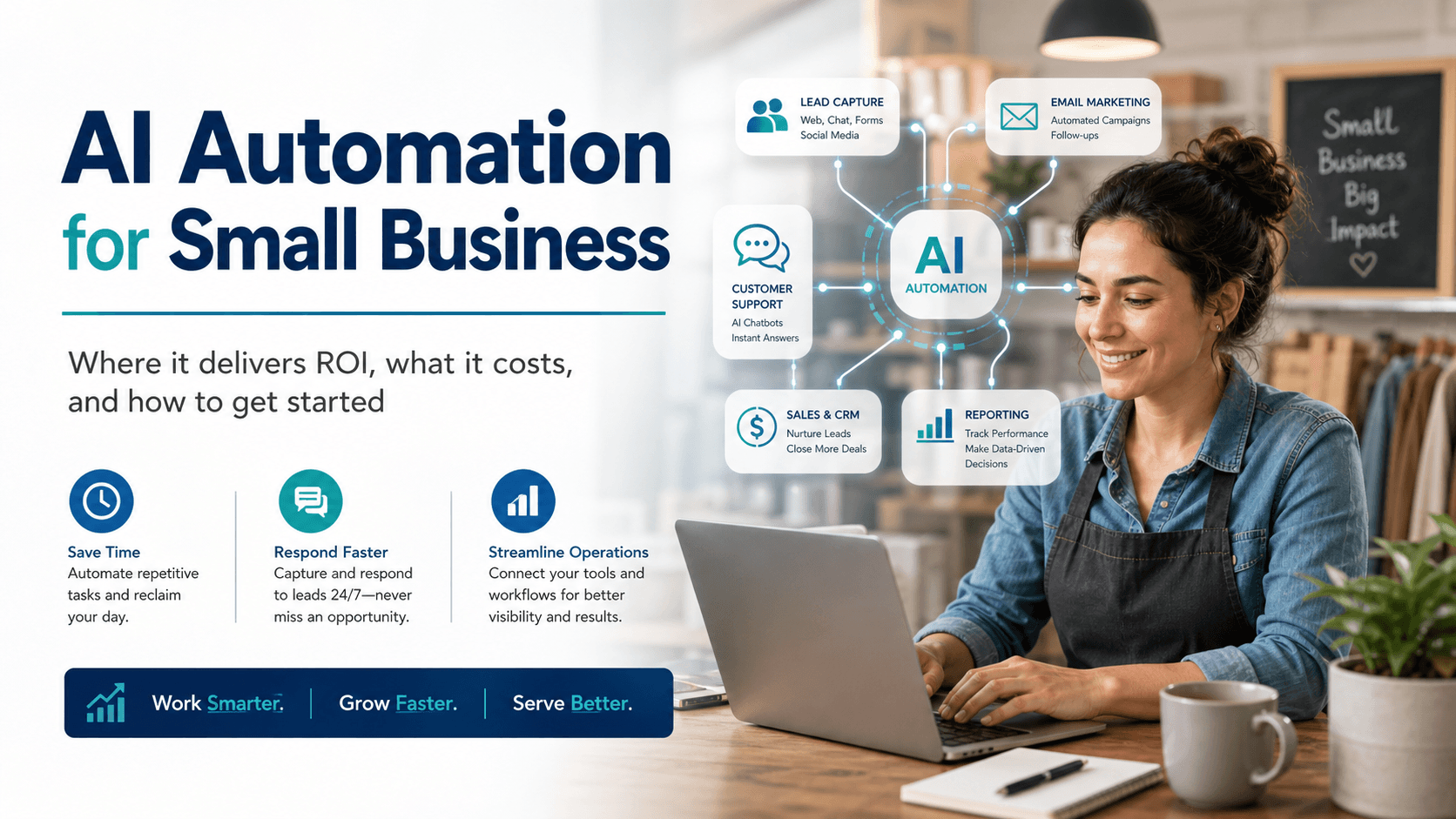
Running a small business means wearing too many hats. You're answering customer emails at 10 PM, manually entering data between three different apps, and losing leads because nobody followed up fast enough. AI automation solves this by handling the repetitive, time-consuming tasks that don't require human judgment — so your team can focus on the work that does.
But "AI automation" is a broad term, and most guides either talk about enterprise-scale implementations that don't apply to you, or list 50 tools without explaining which ones actually matter. This guide is built for small business owners with 5-200 employees who want to know: where does AI automation deliver real results, what will it cost, and how do I start without wasting money?
What AI Automation Means for a Small Business
AI automation combines two things: traditional automation (software that runs tasks based on rules) and artificial intelligence (software that can understand, classify, and generate content). Together, they handle tasks that used to require a person making decisions at every step.
Traditional automation follows rules you set: "When a new contact is added to the CRM (customer relationship management tool), send this email." It's fast and reliable but limited to exact scenarios you define.
AI automation adds judgment: "When a new contact is added, read their inquiry, determine if it's a sales question or support issue, route it to the right team, and draft an appropriate response." The AI handles the variable parts that used to require human interpretation.
For small businesses, this distinction matters because most of your time sinks involve both structured steps and small decisions. AI automation handles the full chain rather than just the predictable parts. (For a deeper dive into the traditional automation side, see our guide to workflow automation for small business.)
Where AI Automation Delivers the Biggest ROI
Not every department benefits equally. Here's where small businesses consistently see the fastest payback.
Sales and Lead Management
The problem: Leads come in from your website, social media, referrals, and ads. Each one needs to be acknowledged, qualified, and followed up with — and the speed of that response directly affects whether they become a customer.
What AI automation handles:
- Instant response to new inquiries with a personalized message based on what they asked about
- Lead scoring that prioritizes your hottest prospects based on their behavior and fit
- Automated follow-up sequences that adjust based on how the prospect engages
- Meeting scheduling without the back-and-forth emails
Before and after: A 15-person home services company was losing leads because their two-person sales team couldn't respond fast enough during peak hours. After automating lead intake and initial qualification, their average response time dropped from 4 hours to under 3 minutes. They didn't hire anyone new — they just stopped losing leads to slow follow-up.
Customer Support
The problem: Customers ask the same questions repeatedly — order status, pricing, scheduling, how-to questions. Your team spends hours each day on answers that could be standardized, leaving less time for complex issues that genuinely need a human.
What AI automation handles:
- AI chatbots that answer common questions using your actual knowledge base and documentation
- Automatic ticket creation and routing based on issue type and urgency
- Follow-up surveys sent after resolution to catch problems early
- Escalation to a human when the AI detects frustration or complexity it can't handle
Before and after: An e-commerce business with 50-100 daily support inquiries was drowning in repetitive questions about shipping and returns. An AI chatbot now handles roughly 60% of incoming questions without human involvement. Their support team went from reactive firefighting to proactive customer outreach.
Marketing
The problem: Effective marketing requires personalization, consistency, and volume — sending the right message to the right audience at the right time. Manually managing email campaigns, social posts, ad targeting, and content distribution doesn't scale.
What AI automation handles:
- Email sequences that adapt content and timing based on recipient behavior
- Social media scheduling and content suggestions
- Ad audience targeting and budget optimization
- Lead nurturing campaigns that move prospects through your funnel automatically
Before and after: A B2B consulting firm was sending the same monthly newsletter to everyone on their list. After implementing behavior-based email automation, they segmented their audience and triggered targeted sequences based on which pages prospects visited. Their email engagement doubled without increasing the volume of content they produced.
Operations and Administration
The problem: Data entry, invoice processing, appointment scheduling, internal approvals, and reporting eat hours every week. These tasks are necessary but don't grow your business.
What AI automation handles:
- Invoice generation and payment reminders triggered by project milestones
- Appointment scheduling with automatic calendar coordination and reminders
- Data sync between your tools so information entered once flows everywhere
- Weekly or monthly reports compiled and delivered automatically from your key platforms
Before and after: A professional services firm was spending 6+ hours per week manually compiling client reports from three different platforms. An automated reporting workflow now pulls the data, formats the report, and delivers it to clients every Monday morning. The team got a full workday back each week.
What It Costs to Get Started
There are three main paths to AI automation, each with different cost profiles and tradeoffs.
Path 1: DIY with No-Code Tools
Cost: $0-$100/month in tool subscriptions, plus your time to set up and maintain.
Best for: Businesses starting with 1-3 simple automations. Connect your form tool to your CRM, set up automated email responses, sync data between apps.
Tools: Zapier (easiest starting point, 7,000+ app connections), Make (more powerful for complex workflows), HubSpot or Mailchimp for marketing automation.
Tradeoff: Your team needs to learn the tools, build the automations, and troubleshoot when things break. Works well for straightforward, linear workflows. Gets painful when you need complex logic, AI-powered decisions, or integrations between systems that don't have pre-built connectors.
Path 2: Platform-Native AI Features
Cost: Often included in the tools you're already paying for, or available in higher-tier plans ($50-$300/month).
Best for: Businesses already using a platform with built-in AI features — HubSpot's AI email writer and lead scoring, Salesforce Einstein, Shopify's AI product descriptions, QuickBooks' automated categorization.
Tools: Whatever platforms you're already using. Check their AI features before adding new tools.
Tradeoff: You're limited to what the platform offers. Great for incremental improvements, but won't solve cross-platform workflow problems or give you custom AI behavior.
Path 3: Working with an Automation Agency
Cost: $3,000-$15,000 per project for implementation, plus $2,000-$5,000/month for ongoing support if needed.
Best for: Businesses with complex workflows, multiple systems to connect, or AI requirements beyond what no-code tools support. Also the right choice when your team doesn't have time to build and maintain automations themselves.
What you get: An agency audits your operations, identifies the highest-impact automation opportunities, builds the systems, trains your team, and handles maintenance. The upfront cost is higher, but the ROI is typically faster because the automations are built correctly the first time.
Tradeoff: Higher upfront investment. Finding the right agency matters — look for one that starts with a discovery process, is transparent about what AI can and can't do, and doesn't lock you into long-term contracts. Our guide to evaluating AI automation agencies covers exactly what to look for.
How to Tell If Your Business Is Ready
AI automation is a good investment when several of these are true:
- Your team is doing the same tasks repeatedly. If someone on your team could describe their daily work as "do this, then check that, then send this" for most of their day, those steps are automatable.
- Slow response times are costing you money. If leads go cold because you can't follow up fast enough, or customers leave because support takes too long, automation pays for itself through retention alone.
- You're already using cloud-based tools. Automation connects your existing apps — CRM, email, calendar, accounting, project management. If your data lives in spreadsheets and email inboxes, you may need to modernize your tool stack first.
- You've hit a growth ceiling without hiring. When adding more customers or projects would break your current processes, automation lets you scale capacity without adding headcount.
- You can define your processes. AI automation makes existing workflows faster and more consistent. If your processes change constantly or exist only in someone's head, document them before automating.
Not ready yet if: You have fewer than 5 regular customers, your processes aren't defined, or you're still figuring out product-market fit. Automation amplifies what's already working — it doesn't create demand or fix a broken business model.
Your First 90 Days: A Practical Roadmap
Weeks 1-2: Audit and Prioritize
Map your team's repetitive tasks. Ask everyone: "What do you do every day or week that follows the same steps?" Rank those tasks by time spent and business impact. The best first automation candidate is high-frequency, rule-based, and connected to revenue or customer experience.
Weeks 3-4: Start with One Automation
Pick your highest-priority task and build (or have built) a single automation. For most businesses, this is lead follow-up, invoice processing, or appointment scheduling. Keep it simple — one trigger, 2-3 actions, clear error handling.
Weeks 5-8: Monitor, Adjust, and Expand
Watch your first automation run for at least two weeks before adding more. Fix edge cases, adjust timing, and measure the actual time saved. Once it's running reliably, pick your second and third automations.
Weeks 9-12: Evaluate and Plan
Assess your results. How many hours did automation save? Did lead response times improve? Are customers getting faster support? Use this data to decide whether to expand with DIY tools or bring in an agency for more complex implementations.
Common Pitfalls to Avoid
Automating everything at once. Start with one or two high-impact workflows. Trying to automate your entire operation in a month leads to fragile systems that create more work than they save.
Choosing tools before defining the problem. Don't start with "we need a chatbot." Start with "our support team spends 3 hours a day answering shipping questions." The tool follows the problem, not the other way around.
Skipping error handling. Every automation will eventually encounter data it doesn't expect — a blank field, a duplicate entry, a disconnected app. Build in failure notifications so you catch problems before they affect customers. A broken automation that silently drops leads is worse than no automation at all.
Expecting AI to be perfect from day one. AI chatbots and classifiers get better over time as they process more data and you refine their instructions. Plan for a tuning period, and always give customers a way to reach a human.
Not measuring results. If you can't say "this automation saved us 8 hours per week" or "our lead response time went from 4 hours to 3 minutes," you can't make informed decisions about where to invest next. Track time saved, error reduction, response speed, and customer satisfaction before and after.
Start with One Workflow
AI automation for small business isn't about replacing your team or adopting every new AI tool that launches. It's about identifying the specific tasks that eat your team's time without requiring their expertise, and building systems that handle those tasks reliably.
Start small. Pick one workflow that costs your business the most time for the least value. Automate it. Measure the result. Then decide what comes next.
If you're not sure where to start, or if your automation needs go beyond what DIY tools can handle, Ecorfy helps small businesses identify their highest-impact automation opportunities and build systems that run reliably. No long-term contracts, no jargon, and no recommendations we wouldn't use ourselves.
Book a free consultation and discover how AI chatbots, workflow automation, and smart marketing can transform your operations.